What Is a Digital Cinema Package? Simple Explanation
by WriteSeen
A digital cinema package (DCP) is a set of digital files that together hold a movie’s video, audio, subtitles, and technical instructions, all formatted for high-quality projection in movie theaters.
If you want your film screened on the big screen, understanding what is a digital cinema package is the first step to making sure your work looks and sounds its best.
The DCP is not a single file, but a collection stored in a specific folder structure, ready for playback on cinema servers. It preserves the film’s picture and sound exactly as intended, using professional standards trusted by festivals and theaters worldwide.
Understand the Digital Cinema Package in a Nutshell
Confused about what a Digital Cinema Package (DCP) actually is? You’re not alone. As a creator or industry decision-maker, you face endless format demands and tech change. So, let’s cut through the noise.
Many filmmakers preparing for festivals search what is a digital cinema package, only to discover it’s the required format for professional exhibition.
Top Reasons DCPs Matter for You:
- Unlocks theatrical exhibition
If you want your film played in real movie theaters worldwide, you need a DCP. Festivals, chains, and independent cinemas expect this standard.
- Ensures flawless playback and presentation
A DCP is carefully structured. With directory folders, high-bitrate image and audio files, and precise metadata, your film plays as intended—same colors, same sound, everywhere.
- Guards against tampering and errors
DCPs use validated hashes (checksums) to confirm files are untouched. Venues can spot issues before screenings, preventing public mishaps.
- Streamlines versioning and discoverability
Industry naming systems like DCNC let staff quickly search, find, and schedule your title on their networks.
This structure isn’t a relic; it’s essential for cinematic scale. DCPs have replaced film reels because they’re easier to move, safer against data errors, and built to support features like encryption and multi-language support. Your work reaches the world, the way you created it.
DCPs aren’t just a tech requirement—they’re your film’s passport to professional screenings.
Discover Why DCPs Matter for Creators and Industry Professionals
Every filmmaker or creative team wants control, compatibility, and credibility. When you understand what is a digital cinema package, you gain control by aligning your film with global theatrical standards. That’s where DCPs step in. If you’ve ever worried about a projector distorting your color, hearing the wrong audio channels, or losing security over your film, a DCP solves those real, practical concerns.
Why Trust a DCP for Your Screenings?
- Reliability on any theater system
Whether it’s a multiplex or art house, DCPs deliver the same picture quality, multichannel audio, and timed subtitles. That’s why festivals and distributors require them.
- Signals technical and creative professionalism
Delivering a DCNC-named, validated DCP demonstrates you care about detail and audience experience.
- Brings encryption and author verification
DCPs can be encrypted against piracy. KDMs (Key Delivery Messages) let you lock playbacks to specific venues and times. Packing lists and SHA hashes back up your authorship.
Worried the DCP process might change your intent? You’re not alone. Creators often fear color shifts or losing precision in audio mixes. Using proven workflows and running a test projection help maintain your vision.
WriteSeen helps you protect and showcase your work alongside the DCP process. Timestamp your script or supporting materials to prove authorship while keeping full ownership and control. Keep projects private, or share a portfolio discoverable by verified industry professionals worldwide.
Explore the Anatomy of a Digital Cinema Package
Let’s get tactical. Every DCP is a carefully organized set of assets—never just a single file. This structure is the backbone of its reliability in cinemas worldwide.
To properly answer what is a digital cinema package, you need to understand how these components function together inside a strict, standardized delivery structure.
Key DCP Components:
- Image Track Files
Frame-by-frame JPEG 2000 images, wrapped in MXF. The result? Consistent, high-detail 2K or 4K projection, whatever the server.
- Audio Track Files
Uncompressed, 24-bit PCM WAV audio—wrapped in their own MXF. This means true-to-source mixes with up to 16 channels (think Dolby 5.1, 7.1, or accessibility tracks).
- Metadata and Playlists
XML files like the Composition Playlist (CPL) control what’s played, in what order, and how all assets sync up—no more guesswork for projectionists.
- Packing and Asset Maps
Packing List (PKL) stores file hashes for tamper-proof verification. Asset Map helps servers track down every component.
Subtitles get their own XML, so you can swap languages without touching the core movie file. Folder structure rules—each file lives where the server expects, avoiding last-minute fumbles.
One big win? Modularity. Update a subtitle, audio track, or even accessibility features like sign-language video without rebuilding your whole film. This flexibility saves time and makes versioning worldwide realistic for indie teams and studios alike.
Learn What Makes a DCP Different From Other Video Formats
Not all video files are created equal. If you’ve ever wondered what is a digital cinema package compared to ProRes or MP4, the answer lies in cinema-grade encoding, validation, and server compatibility. DCPs take you far beyond what “editing exports” like MP4, MOV, or ProRes can do—especially when your goal is a flawless cinematic projection.
Why DCPs Are the Gold Standard For Theaters:
- Lossless visuals and uncompressed audio
DCPs use JPEG 2000 for visually lossless video and uncompressed 24-bit PCM for audio. No color grading surprises or weird mixdowns on the big screen.
- Purpose-built containers
MXF wrapping ensures perfect file interpretation by cinema servers. You won’t get playback errors or missing content halfway through your premiere.
- Industry-grade metadata
XML playlists, packing lists, and SHA hashes deliver tamper-proof confidence and seamless ingest in any professional setting.
- Version flexibility and discoverability
With DCNC naming and standardized folders, theaters can locate, verify, and schedule your package across vast databases.
Consumer formats are built for home viewing or editing, not for theaters. Don’t risk your world premiere with a format that might fail or deliver a weaker experience.
A DCP isn’t just a file—it’s the format trusted by every modern cinema.
Unpack the Technical Specifications and Security Features of DCPs
DCPs operate by strict technical rules, all designed to support both security and top-tier presentation. At this level, what is a digital cinema package becomes less theoretical and more about compliance with precise global projection standards. Understanding these specs empowers you to deliver confidently.
What Sets the DCP Apart Technically?
- Set frame rates, huge bitrates
Most DCPs play at 24 fps for global compatibility, but SMPTE standards allow up to 60 fps in 2K. Bitrates run up to 250 Mbps, letting your images shine.
- MXF containers for both picture and sound
This ensures every server ingests the same file, with predictable handling and zero format chaos.
- AES encryption for security
Media files can be encrypted, and only servers with the right KDM (a time-locked, device-specific unlock key) can play them.
- EXT3 drive formatting
Meant for Linux cinema servers, this formatting is part of what sets DCP delivery apart from “normal” file transfers.
PKLs list SHA checksums for every asset. Venues validate hashes after every transfer, catching corruption and misuse fast. For creators focused on safety and proof, these specs work hand in hand with services like WriteSeen’s timestamping.
See How DCPs Provide Flexibility and Version Control in Film Distribution
The power of a DCP goes beyond a single film version. Its structure supports studios and indies facing global demands, from language changes to accessibility requirements.
Real-World Advantages:
- Easy localization for each market
Swap audio or subtitle tracks without re-encoding the full picture. A French audio version? Just add an MXF and update the CPL.
- Global launches, made scalable
Major releases often juggle 50+ versions off one core video file. DCP modularity lets you target each region without wasting bandwidth or storage.
- Rapid updates and issue fixes
Need to correct a subtitle or change a soundtrack for an accessibility request? Replace that asset only. No more rebuilding your entire film.
- Strong version tracking and documentation
Behind each DCP, CPLs, PKLs, and DCNC naming keep every asset versioned, dated, and ready for chain-of-custody needs.
DCPs allow indie creators and studios to compete on efficiency, control, and professionalism, even as global demands multiply.
Find Out How DCPs Are Created: Step-by-Step Process
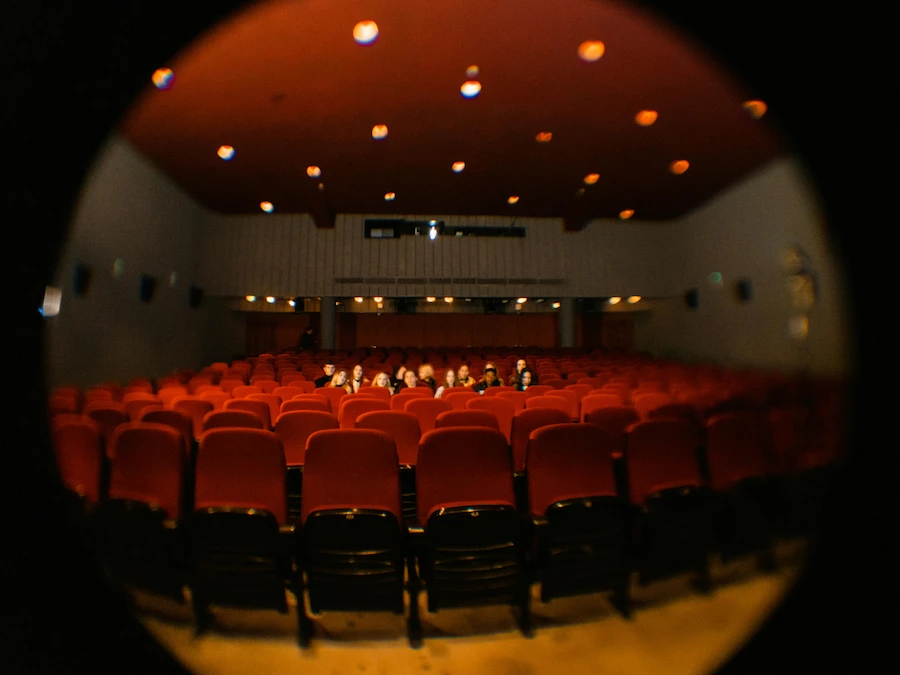
Building a great DCP requires a disciplined, step-by-step approach. When people research what is a digital cinema package, they often don’t realize how structured and technical the creation workflow truly is. Each stage safeguards your film’s quality and makes sure it’s ready for any big screen.
Here’s exactly how creators get their work cinema-ready:
The DCP Creation Workflow
- Master your source files
Start with a high-quality master—DPX, TIFF, or a high-bitrate ProRes—plus 24-bit WAV audio. The closer to true original quality, the better your DCP output.
- Convert and encode visuals and audio
Transform your video into a JPEG 2000 MXF file and audio into their own MXF tracks. Pair with XML files that detail the playlist and asset relationships.
Minimal compression means minimal surprises on the screen.
- Generate essential metadata
Your DCP gets an Asset Map, Packing List, and Volume Index. These safeguard your work with SHA hashes and clear navigation instructions for cinema servers.
- Follow naming and format protocols
Stick to DCNC and SMPTE (or Interop if requested). Use the naming conventions and folder structures theaters depend on.
- Test, validate, quality check
Play your DCP on a pro cinema server or certified player—don’t skip this. Catch color or audio oddities, subtitle glitches, or corruption before the audience does.
- Package and deliver on EXT3 drives
Format your delivery drive to EXT3, ensuring the cinema can easily ingest your DCP. Double-check hash integrity and metadata alignment post-transfer.
Popular tools like DCP-o-matic, DaVinci Resolve Studio, and easyDCP support these requirements—choose the fit for your technical comfort and project needs.
The best DCPs start from the highest-quality originals and finish with a real cinema test.
Examine How Filmmakers and Cinemas Use and Deliver DCPs
Once your DCP is built and tested, it’s about the delivery. Understanding what is a digital cinema package also includes knowing how it is transported, ingested, and verified by cinema servers before a screening. This final handoff can make or break your screening day.
How DCPs Move From Creator to Cinema
- Physical hard drives
Most DCPs travel on CRU or rugged USB-3 portable drives, formatted EXT3 for Linux servers. Venues can ingest and verify content without a hitch.
- Cloud and digital transfer
Trusted festivals, distributors, and partners may use secure links or managed transfer networks. Services capable of handling hundreds of gigabytes are best—no more lost flash drives or bandwidth panic.
- Cinema ingest and scheduling
Servers copy the package in, then check every file’s hash (via PKL) for integrity. KDMs unlock encrypted content during your chosen window.
- File sizes and scale
A single feature DCP lands between 150–500 GB, scaling with higher resolution, frame rates, or 3D. Efficient modular structure lets venues only update what changes.
Most important: always work with partners who support your technical specs, formatting, and schedules. DCP headaches most often come from skipped steps here.
Address the Common Questions and Misconceptions About DCPs
Even industry pros ask, “Why not just upload a ProRes or MP4?” Let’s end the confusion for good.
Top DCP Questions Answered
- Why not use a normal video file?
DCPs meet strict cinema server standards—for video, audio, file checks, and reliability—whereas ProRes or MP4 risk playback errors.
- Can I play a DCP at home?
Not easily. DCP drives need Linux or special players, plus folder structure and MXF support.
- What does a DCP cost?
DIY tools are free or low-cost, but time-consuming. Pro labs with full QC add speed, encryption, and legal-grade testing—expect higher fees per minute or project.
- Does DCP creation alter my film?
Handled professionally, no. Technical conversion risks come from bad color mappings, unchecked mixes, or skipped QC. Always test playback.
- What if I need to change something?
Swap out individual assets (like subtitles or audio) with an updated playlist—no full re-encode required.
- DIY vs professional vendors?
Many indie films succeed with DCP-o-matic or Resolve Studio. If you want encryption, on-call tech support, or complex versioning, a professional lab offers peace of mind.
One of the most common questions filmmakers ask is what is a digital cinema package, especially when entering the festival circuit for the first time.
Every DCP format, cost, and workflow choice hinges on your need for reliability, security, and creative control.
Recognize Challenges and Best Practices With DCPs for Independent Creators
DCP creation can seem intimidating, but it’s also an opportunity to sharpen your skills, show industry readiness, and protect your best work.
For many independent filmmakers, learning what is a digital cinema package is the turning point between a finished edit and a true theatrical release.
Common DCP Roadblocks (and How to Win)
- Technical complexity and formatting
EXT3 drive setup, folder structures, and asset naming trip up even experienced creators. Start with guides, validated tools, and a main checklist.
- Unclear venue requirements
Ask fest or venue for their exact DCP specs. SMPTE or Interop? Required encryption? Test server certificates?
- Skipping the cinema-grade QC
Always watch your DCP in a real theater or certified player. It’s the only way to spot color or sync issues before your audience does.
- Weak version documentation and backup
Maintain DCDM masters, backup each DCP version, and record every update clearly.
At WriteSeen, creators timestamp their scripts and supporting materials to lock in proof of authorship and keep full ownership and control. It’s a simple step that protects your work and helps you share it with festivals, collaborators, and verified industry professionals confidently.
Embrace Digital Cinema as Part of a Creator-Led Ecosystem
DCPs aren’t just “tech stuff.” They connect your creative intent with how the world experiences your work. By embracing strong presentation and rock-solid documentation, you set a professional foundation—one that spans film, music, and any digital art form.
There’s no need to become a tech master overnight.
Build Up Your Understanding One Step at a Time:
- Keep high-quality masters safe
- Learn (or partner for) one reliable DCP process
- Test everything in the real-world setting
- Log versions and keep essentials backed up
For extra confidence, WriteSeen offers free digital timestamps and a secure portfolio space—so your work stays protected, organised, and ready to share. You keep full ownership, control access, and stay ready for whatever comes next.
Quality control, creator rights, and purposeful sharing are the foundation of serious creative careers.
Conclusion: What Is a Digital Cinema Package and Why It Matters
Understanding what is a digital cinema package gives you control over how your film is experienced in real theaters. It is not just a file format but a structured, validated system designed to preserve your visuals, audio, subtitles, and metadata exactly as intended. When you grasp how it works, you eliminate uncertainty and protect your premiere from technical surprises.
From JPEG 2000 image encoding and MXF-wrapped audio to CPL playlists, PKL hash verification, and optional encryption with KDMs, every component exists to guarantee reliability, security, and consistent playback worldwide. A properly built and tested DCP ensures your creative vision reaches audiences without compromise.
If you’re preparing your work for festivals, distributors, or theatrical release, join WriteSeen to timestamp your script and supporting materials, protect your intellectual property, and showcase your projects in a secure portfolio discoverable by verified industry professionals worldwide.
TAGS