Final Draft Screenwriting Software: What You Need To Know
by WriteSeen
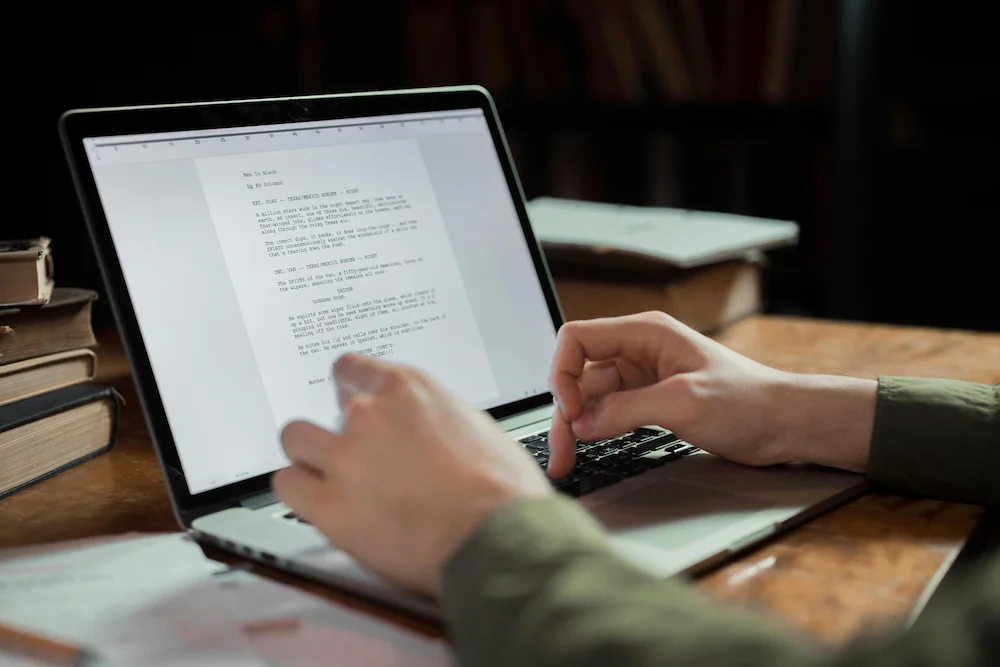
Final Draft screenwriting software is a specialized tool for creating scripts for film, TV, theater, and more.
It provides automatic industry-standard formatting, built-in planning features, and real-time collaboration, making it trusted by Hollywood professionals and global creators alike.
Writers, producers, and creative teams rely on Final Draft for its strong export options, revision tracking, and power to streamline complex projects.
In this article, you’ll see how it stands out, who uses it, its key features, and how it compares to newer creative platforms like WriteSeen.
Understand What Final Draft Screenwriting Software Is
Final Draft screenwriting software stands out as a staple in the screenwriting world, built for writers who want powerful organization tools, industry-standard formatting, and smoother workflows. If you’ve ever worried about making your script look “right” to producers or agents, Final Draft’s core strength is its built-in standards. Here’s why it matters:
- Industry-style formatting: Final Draft formats everything automatically. Margins, slug lines, and dialogue land exactly where top studios expect them. Using Final Draft helps you clear the technical hurdle in seconds.
- Intelligent story planning: With scene tagging and beat mapping, you sketch out stories, tag important character arcs, and ensure everything lines up for any format—film, TV, or theatre.
- Compatibility built-in: The FDX file format is universal in the industry. Teams, educators, and even rival platforms all support Final Draft’s files, so your work moves easily into any production office.
- Integrated production features: Script breakdowns, character reports, and production notes turn your writing into actionable schedules and budgets for crew and cast.
Final Draft removes technical delays so creators center their energy on story—not formatting.
If you also want a place to share that work, join WriteSeen and become part of a global creative community where writers connect, get feedback, and showcase projects securely.
Discover Why Final Draft Is Considered the Industry Standard
Writers hear “industry standard” everywhere, but what does it really mean for Final Draft? For three decades, it’s dominated Hollywood and global writing spaces. If you want to get your work seen, you need to speak the production team’s language. Final Draft makes that process frictionless:
- Widely adopted: Over 3 million users in 100 countries choose Final Draft. It sits at the heart of writers’ rooms, film schools, and production pipelines.
- Award-winning credibility: The Engineering Emmy Award cements Final Draft’s place as the prime technical tool for TV writers and script teams.
- Consistency that counts: Its formatting, pagination, and versioning provide confidence for studios, agents, and festivals. Experienced writers, assistants, and supervisors expect Final Draft files for every submission.
- Teaches the trade: Final Draft is part of creative writing curriculums, helping new writers learn with the actual tool used by working professionals.
Don’t ignore what major writers and studios already trust. Network effects build fast—using Final Draft keeps your file in the accepted format, ensuring your ideas are never lost in translation.
Explore the Key Features of Final Draft Screenwriting Software
You’re looking for an efficiency boost, but what will you actually use day to day? Final Draft is stacked with specialized tools tailored for high-level storytelling, smooth collaboration, and pre-production needs. Here’s what real-world work looks like inside it:
Smart Planning and Writing Tools
- Automatic formatting: Stop worrying about margins. Every element lands where the pros want it, from parentheticals to scene headings.
- Beat Board: Drag and drop story beats, outline arcs, connect images, and visually map relationships for long-form or episodic projects.
- Outline Editor and Structure Lines: Build out multi-level outlines, then send beats straight to real scenes for seamless script growth.
- SmartType auto-complete: Final Draft auto-suggests locations and character names, keeping details consistent across drafts.
Collaboration and Production Power
- Real-time co-writing: Multiple writers, one document. Live changes, colored comments, and fast version control smooth out team workflows.
- Powerful exports: Export FDX for production, PDF for submissions, or generate production-facing reports (breakdowns, character lists, shooting days) for logistics.
- Multi-device support: Write on Mac, Windows, or iPhone (Final Draft Go app), and customize every aspect of the workspace to fit your pace.
Focused Security and Backup
- Autosave and redundancy: Scripts autosave continually, reducing the risk of losing your work during creative bursts. Frequent backups add an extra layer of confidence.
Final Draft’s combination of beat boards, real-time edits, and smart auto-complete puts crucial structure and creative flow into every script.
If you want your drafts protected as you work, join WriteSeen to timestamp your projects automatically so your ideas are securely recorded while you write and collaborate.
Who Uses Final Draft and Why Is It Trusted?
Serious writing requires a tool that fits any stage, from first draft through production. Final Draft earns its place as the backbone for established screenwriters, showrunners, playwrights, and even game narrative teams. It thrives in high-pressure scenarios when decisions must be made in the writers’ room or on set.
Common scenarios where Final Draft shines:
- Production teams use it for seamless script breakdowns, feeding data straight into budgets and shooting schedules. Every prop, location, and character gets tracked with precision.
- Writers’ rooms and workshops rely on real-time collaboration. Contributors see changes instantly, track revisions, and lock pages as new ideas hit the page.
- Agents and festival programmers handle Final Draft files because they trust the formatting, making it easier to move from evaluation to production with zero confusion.
Major award-winners trust Final Draft. Many independent creators and educational institutions teach it as the foundation for professional writing practices. Time, trust, and compatibility keep it ahead for those aiming to scale their storytelling to the highest level.
Compare Final Draft to Alternative Creative Platforms
Worried about cost or complexity? Here’s the real story: traditional software like Final Draft may feel limiting if you’re looking for discovery, collaboration, or direct industry access instead of only technical polish.
WriteSeen stands out as a free solution built for creators who care about access, security, and talent discovery, not just script formatting.
On WriteSeen, you get secure, timestamped storage for your entire portfolio, unlimited collaboration, direct feedback, and connection with verified professionals—so your script has a runway beyond just its layout.
Creative visibility often matters more than formatting when you’re building a career and a network.
Many big-budget productions rely on Final Draft, but for writers who want to break through, WriteSeen offers a better platform for showcasing originality, controlling rights, and connecting with a global community—while still providing a distraction-free, focused environment for real work and discovery.
How to Start Using Final Draft Screenwriting Software
Jumping into Final Draft for the first time? Start strong and set yourself up for seamless writing from day one. Make every step count.
Your Quick-Start Plan for Final Draft
- Download and install: Head to the official Final Draft site. Pick the right version for your system and follow the step-by-step installer.
- Try before you buy: Explore free trials or check for academic discounts. Test the interface, especially if you’re used to cloud-first platforms.
- Set up your workspace: Personalize toolbars, enable autosave, and adjust color themes to stay in the zone.
- Build your roadmap: Start a new project and jump into the Beat Board and Outline Editor. Map your beats and drag them into your outline for rapid organization.
- Optimize for teamwork: Invite co-writers for real-time collaboration or test the commenting system. Not all versions support the same features, so do a quick check first.
- Back up everything: Export drafts as FDX or PDF. Save versioned folders by date or draft number.
Start by importing a sample script. Watch how formatting and margins lock to professional standards right away.
Weigh the Pros and Cons of Final Draft
Every tool has strengths—and limits. Know what you’re getting so you never lose momentum or miss a key opportunity.
Key Strengths Writers Value
- Recognized industry standard: Production teams expect Final Draft files. Scripts land exactly as studios want.
- Precision formatting: From parentheticals to revisions, the software auto-adjusts every detail.
- Robust planning toolkit: Beat Board, Outline Editor, and color-coded threads fuel complex shows and movies.
- Collaboration built-in: Real-time editing, change tracking, and comments streamline team writing.
- Exports and reports: FDX, PDF, and detailed breakdowns for smooth translation to production logistics.
Where Final Draft Holds You Back
- Cost: Initial purchase and upgrades add up. Not every indie team or student can justify the investment.
- Limited mobile workflows: Only available on iPhone, so Android or tablet users must use desktop or third-party options.
- Overly complex for new writers: Beginners may want fewer features, faster onboarding, or a more merit-focused creative community.
- Some security questions: Autosave works well, but details about data encryption or secure backup are not fully transparent.
Review your real needs before you commit. If you’re aiming for industry submissions, Final Draft is a must. But if you value discovery or collaboration more, you may want to compare options.
Frequently Asked Questions About Final Draft
Writers always have questions before committing to new software. Maybe you’re wondering:
- Do I need Final Draft to be taken seriously?
Many studios, agents, and pros prefer scripts formatted in Final Draft. It isn’t strictly required, but it helps you skip reformatting hassles.
- Can I co-write with others?
Yes. Real-time edits, tracked changes, and live comments keep everyone aligned.
- Is it only for film?
Final Draft handles TV, theater, and even documentary scripting. You can adapt it for game dialogue too.
- Is my work safe?
Autosave and basic online sync prevent data loss. For maximum peace of mind, export regular backups.
- Are there cheaper alternatives?
Definitely. Some platforms offer free or low-cost tiers, but may lag behind in formatting accuracy or reporting power.
Festival or agent requirements vary. When unsure, export both FDX and PDF—to maximize submission success.
Choose the Right Tools for Your Creative Journey
Screenwriting success is about more than what software you use. You need tools that fit your goals—whether that’s ready-for-production reporting or a community driven by discovery and feedback.
Some needs demand perfect formatting and advanced scheduling reports. Others call for secure sharing, global peer feedback, and creator-first access to industry leaders. That’s where environments like WriteSeen shine.
Evaluate your career stage and your workflow. Many pros draft and collaborate on community platforms, then finish scripts in Final Draft for final production needs. It’s not about the tool, it’s about letting your story reach its highest potential.
Final Draft Screenwriting Software: A Complete Guide for Modern Writers
Final Draft screenwriting software gives writers a clear, professional way to create scripts that meet industry expectations. It removes formatting barriers and helps you focus on story, pacing, and character while keeping your pages production ready.
Final Draft screenwriting software also supports collaboration and organization so teams can revise, track changes, and move smoothly from outline to finished draft. It fits film, television, theatre, and more while staying compatible with the tools professionals already use.
Join WriteSeen to use Final Draft screenwriting software alongside a creative community that helps you grow. Protect your work, share it securely, and connect with peers and industry professionals who value strong storytelling. Your best ideas deserve both the right software and the right audience.
TAGS